
Instagram Releases Video Creation Guide: A Five-Step Workflow Based on Creator Feedback
Instagram recently released a set of video creation and editing recommendations, derived from the practical experience of multiple creator advisors. The recommendations focus on how to use Meta's Edits app to optimize content and summarize a five-step workflow: opening with a hook, editing to the rhythm of the audio, reinforcing messages with text and visuals, closing the loop with data feedback, and maintaining an efficient workflow. These tips aim to help creators enhance the appeal and reach of video content such as Reels.
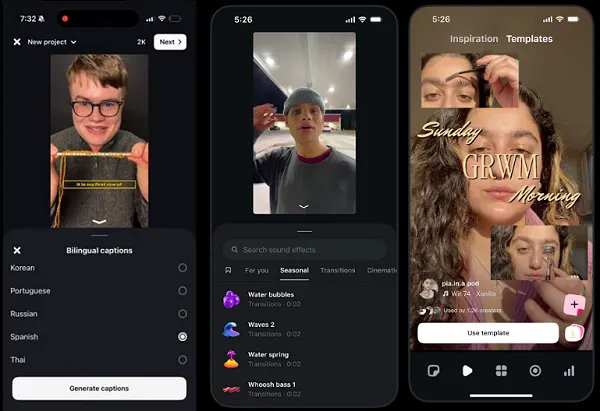
Instagram recently shared practical advice on how to create more engaging and relatable video content, based on insights from multiple creator advisors. The guidance focuses on the video editing process and how creators can use Meta's Edits app to improve their content creation approach.
As Instagram explains: "Creators who consistently produce high-quality content aren't using any magic tricks. They've simply found a workflow that works and stuck with it. Their editing choices are intentional, their workflows are efficient, and they're always learning from data feedback."
Based on feedback from these creators, Instagram has summarized a five-step workflow to ensure that key elements in video creation are fully considered.
1. Start with a hook
Instagram notes that the first few seconds of a video "determine everything," and creators need to think about how to quickly capture viewers' attention with their content. "The creators we interviewed typically open with a moment that makes people stop scrolling," Instagram says. "A bold statement, an unexpected visual, a question that begs to be answered. They build their edits around this opening, cutting anything that slows the pace."
This initial hook is crucial for maximizing audience response, and Instagram suggests creators should devote a significant amount of editing time to polishing the opening. Additionally, Instagram adds that creators can use the "skip rate" metric to measure performance in this area.
2. Edit to the audio's rhythm
Instagram believes that great video editing means cutting on the beat and matching transitions to the energy of the track. "Precise cuts synced to the beat keep viewers watching," the app says. Creators can use beat markers in Edits to identify beat positions and then adjust and trim clips accordingly. Instagram also suggests that using popular audio helps maximize audience response.
3. Reinforce the message with text and visuals
The Edits app offers a variety of visual effects and presentation options that also help attract attention and drive viewing. Instagram says on-screen text can highlight key information and maximize views in muted environments. Additionally, using graphics, stickers, or subtle effects at the right moments can enhance expression without creating clutter. "The goal is clarity: every visual element should help viewers understand and stay with the content," Instagram emphasizes.
4. Close the loop with data feedback
Instagram advises creators to monitor their insights data to measure what works and improve on what doesn't. "If viewers drop off at the 4-second mark, the hook needs adjustment; if saves are high but shares are low, the content may be valuable but not easily shareable. This data informs the next edit, and every video is a learning opportunity," Instagram explains.
5. Maintain an efficient workflow
Finally, Instagram notes that creators need to maximize their time. The Edits app helps discover key trends and opportunities, reducing manual research work. "Browse the 'Inspiration' tab for trending formats, use templates to jumpstart creation, publish content directly from the app, and check insights to see what's working," Instagram suggests.
These tips provide a solid reference for video creation and are expected to offer more guidance on best practices for Reels creation.